Commissions & Payroll
Calculated. Generated. Arguments eliminated.
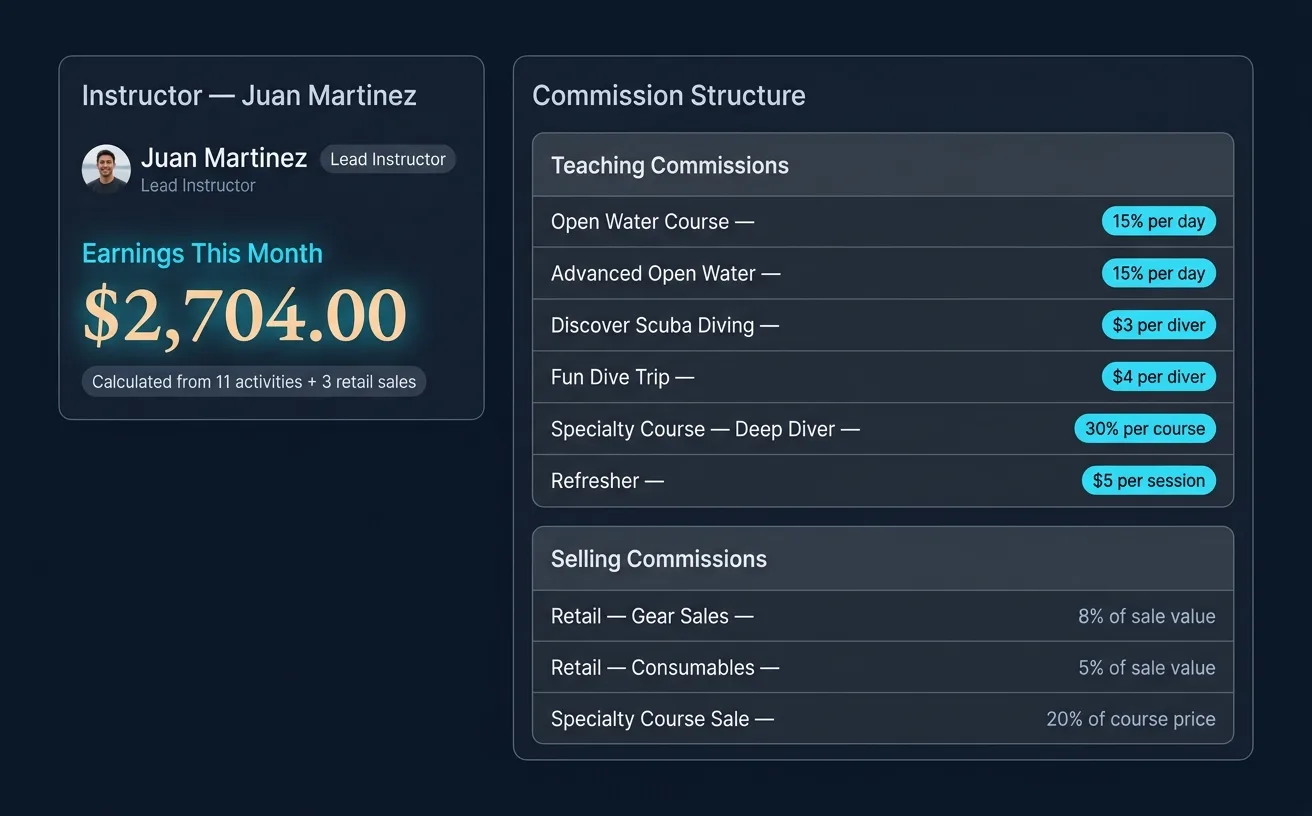
Decide what each role earns — percentage, fixed rate, or both. Every course taught and every sale closed lands on the right payslip on its own, line by line. At month-end there's nothing to reconcile and no argument about who's owed what.
Automatic commission calculation
Define commission rules once. Every time an instructor teaches a course or sells retail, their earnings are calculated instantly. No spreadsheets, no disputes.
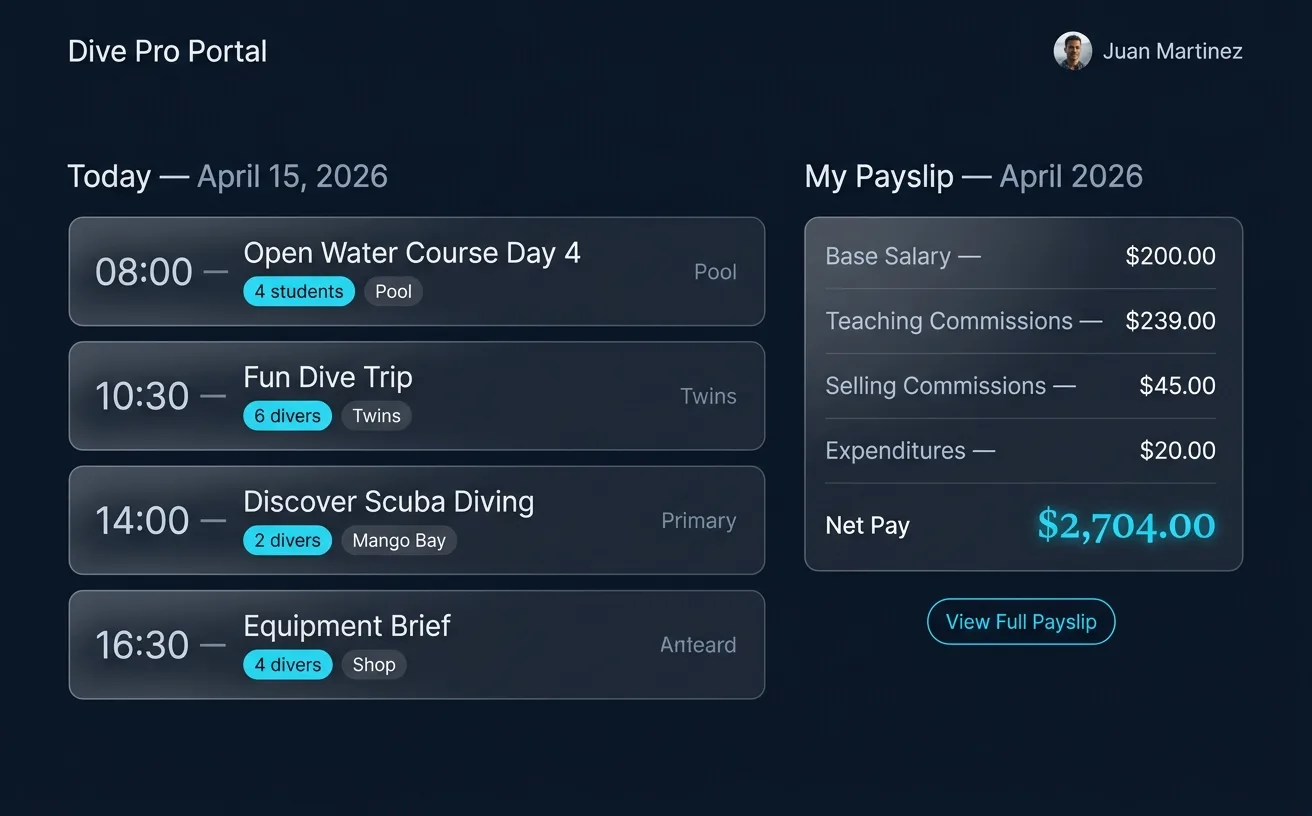
Dive Pro Portal
Each instructor gets their own login. They can see upcoming courses, track their earnings, and review their payslips — all without bothering the front desk.
Rules that fit your shop
Percentage or a fixed amount — set your rates once, then pick the right one as you record each course or sale.
Payslips build themselves
Every course taught and every sale closed adds to the payslip on its own, line by line.
Staff see their own earnings
Each staff member checks what they've earned any time in the Dive Pro Portal.
A full activity log
Exactly what each staff member taught, when, and for how many divers — all on record.
Retail commission too
Commission on gear sales lands in the right payslip automatically, alongside teaching.
Ready for payroll
Pull earnings for any date range and export straight to Excel when it's time to pay.
Related features
Staff and pay connect to the rest of your dive center.
Stop managing your dive center from a spreadsheet.
Set up your free account in 2 minutes. No credit card required.