Financial Management
A real accounting system. Not a payment log.
Most dive center software gives you a list of payments. ScubaCloud gives you double-entry bookkeeping, cashflow management, and financial reporting — purpose-built so you don't need an external accounting tool.
Dive center accounting software, built for how a dive shop actually runs
A dive center is not a retail store. Revenue comes from courses, fun dives, retail, and rentals — each with different margins, taxes, and commission rules. Generic accounting tools handle one or two of those. ScubaCloud handles all of them, in one place, with proper double-entry bookkeeping behind every transaction.
Every payment, refund, invoice, expense, deposit, and payslip is a balanced journal entry. The numbers always add up. Your accountant can trace every transaction end to end without a single CSV export.
The same engine drives the daily cashflow view, the monthly Financial Statement, and the instructor payslips. One source of truth.
Daily cashflow with opening and closing balances
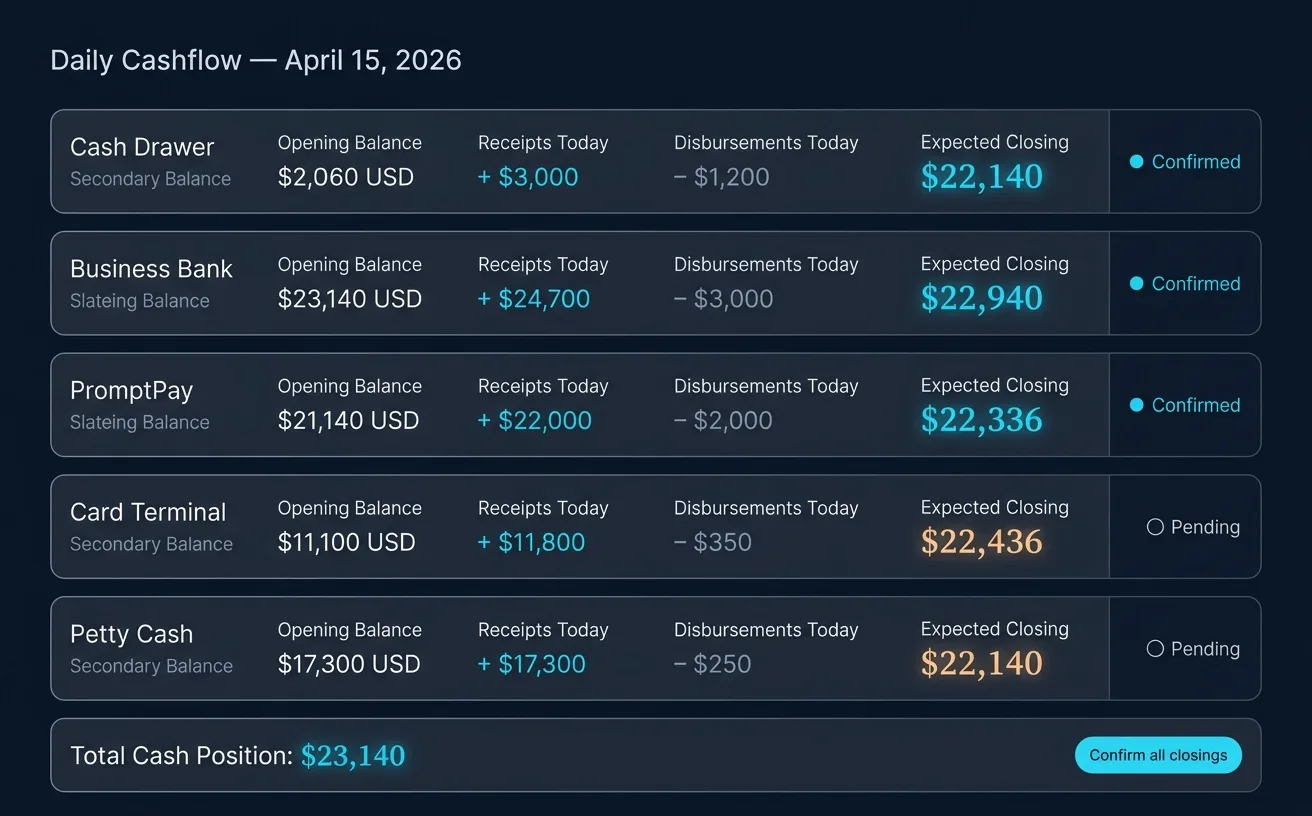
Know exactly how much money your dive center has at any moment. Every payment in, every expense out — tracked as it happens, with the day reconciled automatically.
Every account you set up — cash drawer, business bank, PromptPay, card terminal, petty cash — carries its own balance in the General Ledger. The cash drawer gets the daily routine: set the opening float, record the day, then count the drawer at the end of the shift and enter the real cash counted. Variance shows up immediately if anything is off, so problems get caught the same day instead of at month-end. Shops running shifts can close more than once per day. The daily closing balance habit is the single biggest fix for dive center bookkeeping — and ScubaCloud makes it a 10-minute task.
Invoices, from deposit to paid in full
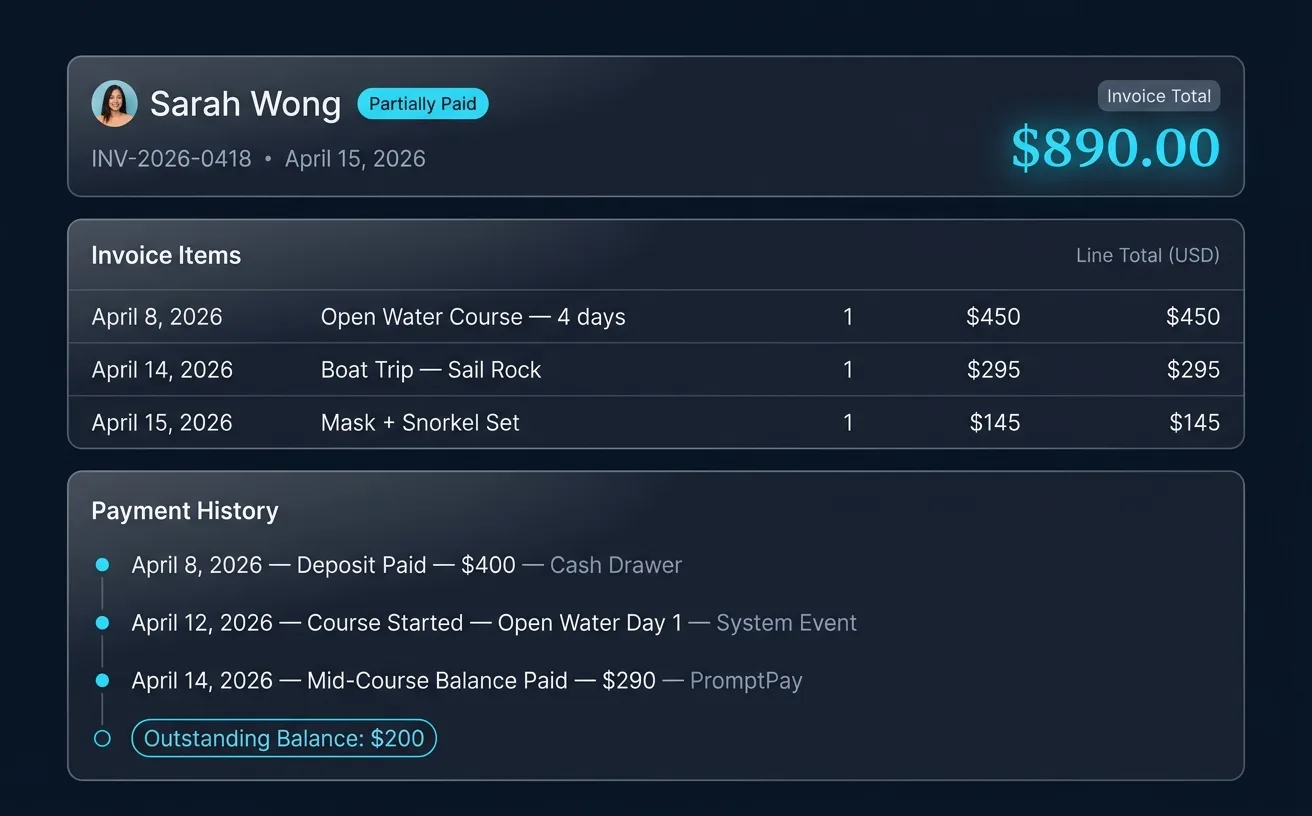
Create invoices from activities or retail sales. Track partial payments. Apply credits. Every transaction leaves a clean record you can review any time.
Most dive customers pay in stages: deposit at booking, balance on the day, sometimes a retail add-on on the boat. ScubaCloud handles all of it on one invoice. Partial payments show against the invoice and the customer balance updates automatically. Refunds and credit notes are first-class objects — they reverse the original transaction cleanly and the record keeps both sides. When the accountant asks "why was this refunded?", the answer is two clicks away.
Instructor payroll your staff actually trust
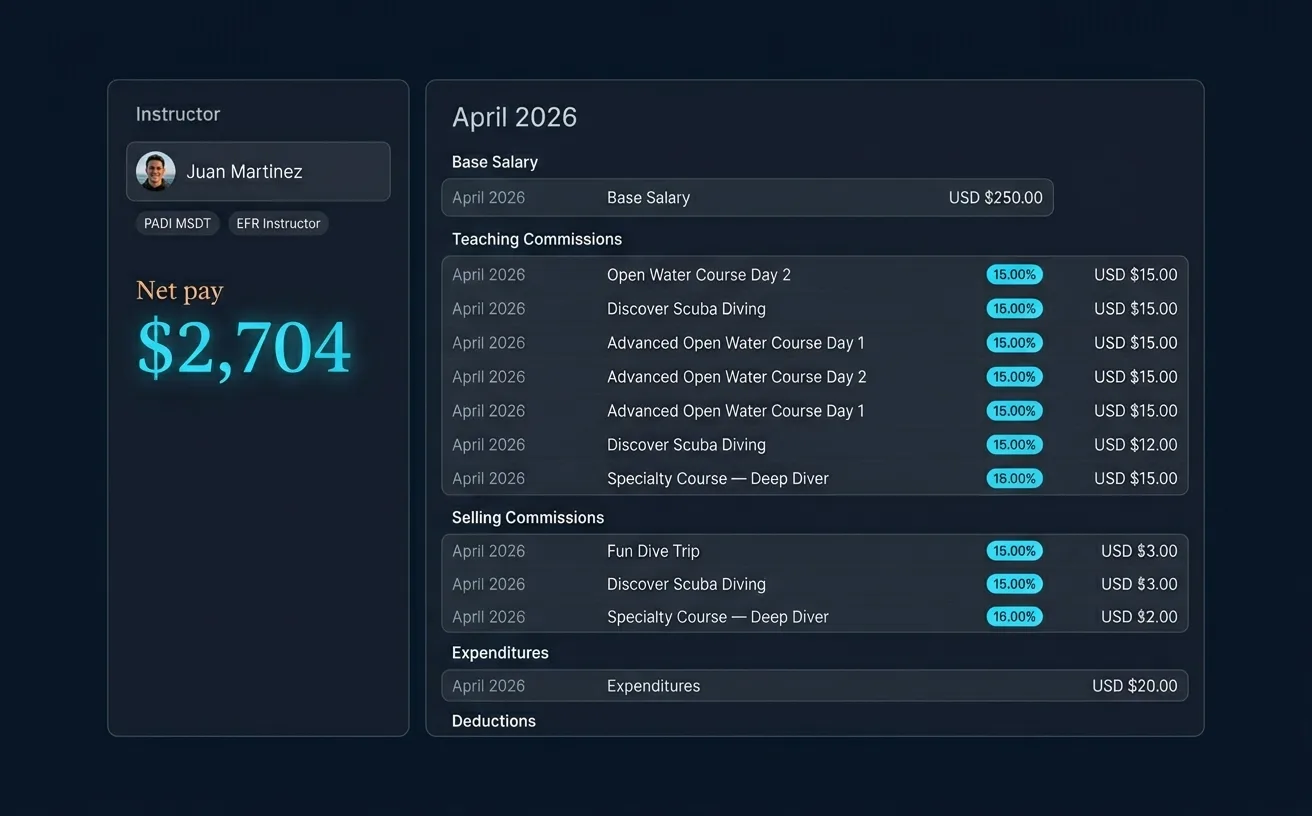
A dive instructor payslip is salary plus teaching commissions plus selling commissions plus expenditures, every month, calculated from activities that may have been logged days late. Done in a spreadsheet, it takes a full day and ends with instructors comparing notes about whether the number is right.
ScubaCloud generates each payslip from the activities the system already recorded. Teaching commissions calculate per activity or per session — whatever rule your shop runs. Selling commissions calculate per retail sale. Expenditures and deductions appear as line items. The instructor sees every dollar on their own portal, line by line with the date it was earned. End of month: review, approve, mark paid. Done.
Dive center bookkeeping without an accountant on staff
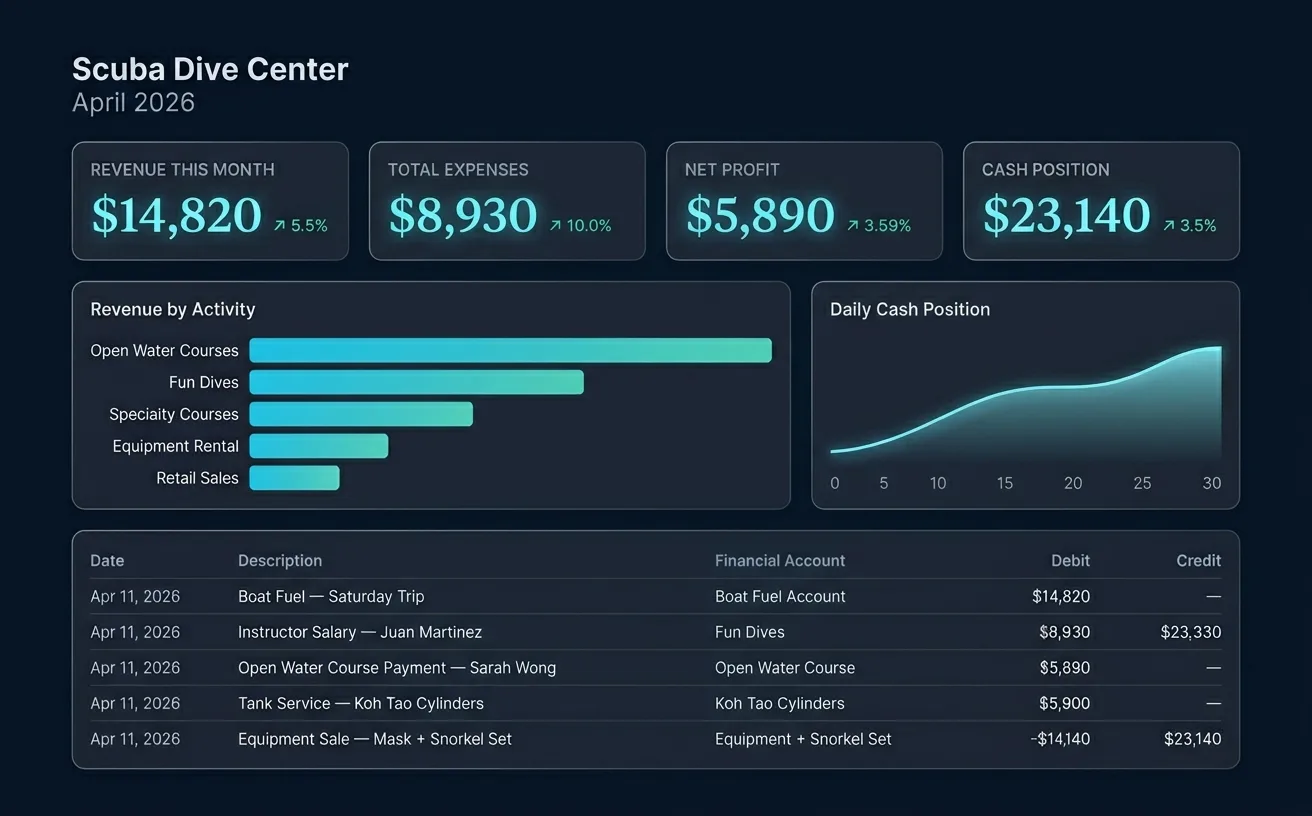
Most dive shop owners did not open a shop to do bookkeeping. They opened it because they love diving. ScubaCloud handles the bookkeeping work in the background so the owner only sees the parts that matter: cash position today, revenue this month, who owes what, what's due to suppliers.
Behind that view, the system keeps a full set of financial accounts shaped for a dive center — course and fun dive income, retail and rental, staff pay, and every operating expense category a dive shop uses. When tax season arrives, your accountant reads the General Ledger and the Financial Statement straight from ScubaCloud. You don't have to learn what they are.
Double-Entry Bookkeeping
Every transaction is recorded as both a debit and credit, keeping your books balanced automatically.
Expense Categorization
Categorize expenses by type — equipment, rent, fuel, staff — and see where your money goes.
Every Payment Traceable
Each payment keeps its full history: who created it, when, and how it was applied.
Your Local Currency
Set your base currency and handle international customers without the headache.
Revenue vs Expense Reports
Visual charts showing your financial health over any time period.
Excel Export
Export any financial data to Excel for your accountant or your records.
Frequently asked questions
Do I still need accounting software like QuickBooks or Xero alongside ScubaCloud?
Can ScubaCloud handle cash, card, and PromptPay payments in the same day?
How does ScubaCloud calculate instructor commissions?
What does the daily closing balance show me?
Can I see how profitable each course or product is?
Go deeper
- Dive Center Bookkeeping: A Practical Guide for Owners — Chart of accounts, daily cash-up, monthly close.
- Dive Instructor Payroll: How to Pay Your Staff Without a Spreadsheet — Base salary, commissions, expenditures, deductions.
- Daily Closing Balance at a Dive Center — The 10-minute habit that fixes 80% of bookkeeping headaches.
Stop managing your dive center from a spreadsheet.
Set up your free account in 2 minutes. No credit card required.